 Sketella
Why calendar input still feels slow
Plans rarely arrive as perfect calendar fields. They show up as group chat messages, travel confirmations, class schedules, meeting notes, screenshots, emails, PDFs, and quick thoughts you do not want to lose.
A normal calendar app makes you translate that messy plan into title, date, time, location, calendar, alert, recurrence, and reminder details. Sketella works as an input layer before Apple Calendar, so you can describe the plan first and review the structured result second.
What Sketella creates
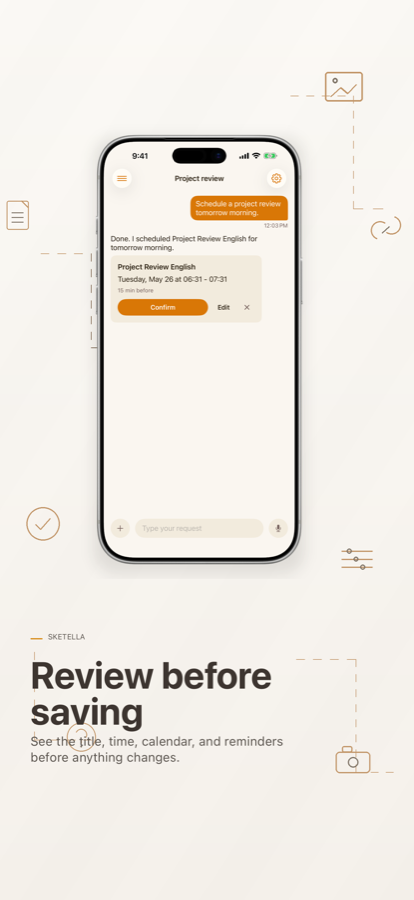
Sketella turns natural language and imported content into draft events and reminders. Before anything is written, you see a confirmation card with the title, date, time, calendar, alert, recurrence, and reminder fields.
- Create Apple Calendar events from one sentence.
- Create Reminders when a task needs follow-up.
- Ask what is coming up and find existing events.
- Move, rename, or delete events through conversation.
- Split dense schedules into multiple drafts.
Built for the calendar you already use
Sketella writes approved events to Apple Calendar through Apple's EventKit framework. It does not replace your calendar. It helps you get plans into the calendar you already trust.
Confirmed events sync through your normal Apple Calendar setup. Chat history stays local on your device, and no account is required to start.
Best fit
Sketella is useful when you often receive plans in unstructured formats: family logistics, school schedules, travel plans, client calls, medical appointments, gym classes, event posters, PDFs, and meeting notes.